
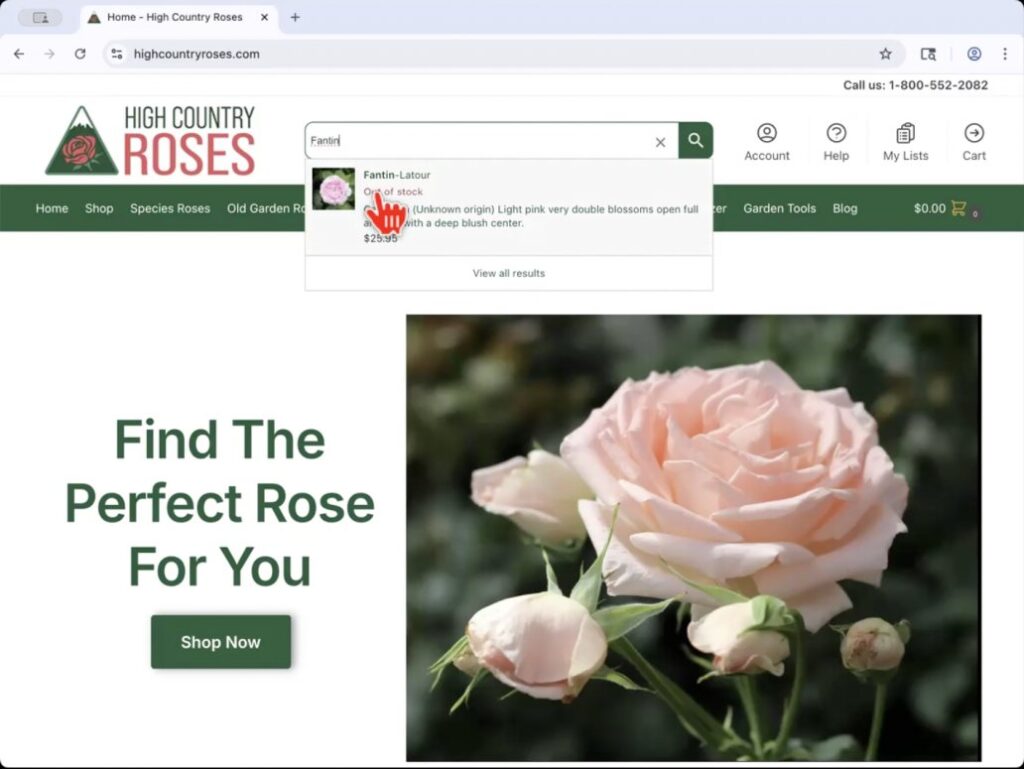
Here’s a quick tutorial explaining how to leave a variety review on our website. Start on the website’s homepage where the search bar is located directly at the top of the website. In this case, I am searching for my rose, Fantin-Latour . You can click on the quick drop down link (photo on the left), or press return to get the full search results (photo on the right). Click on the rose you are looking for in either method and you will be taken to the variety’s product page.
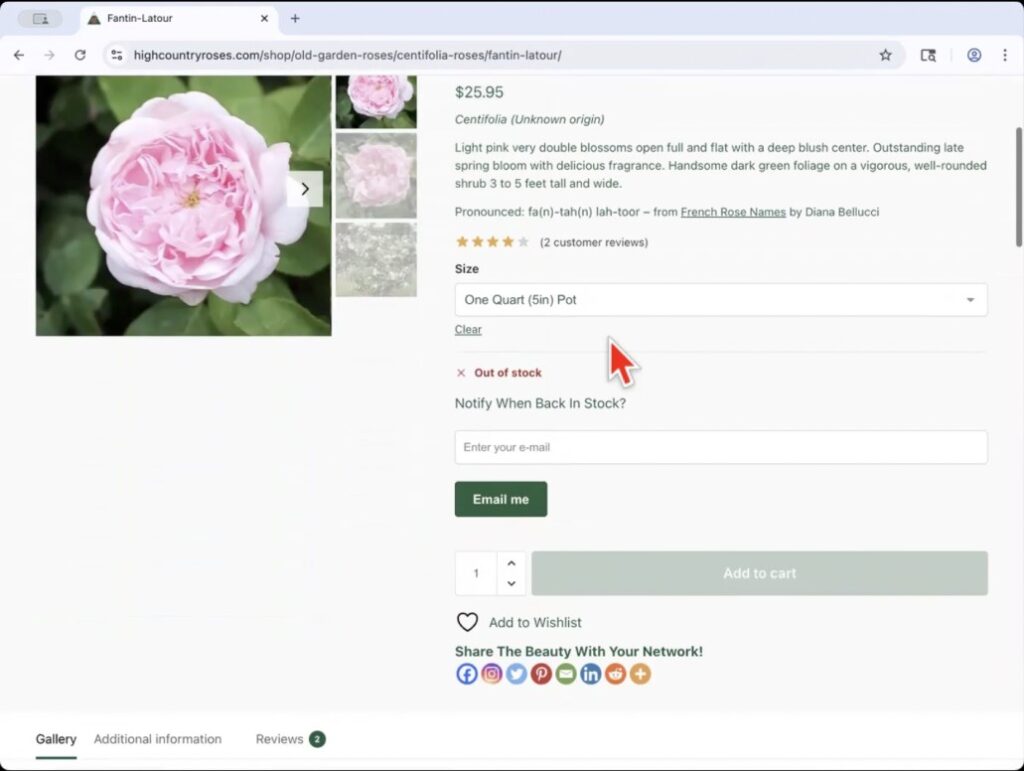
The rose product page is pictured below and contains all of the variety’s information, photos and allows to add the rose to your shopping cart by selecting the pot size.
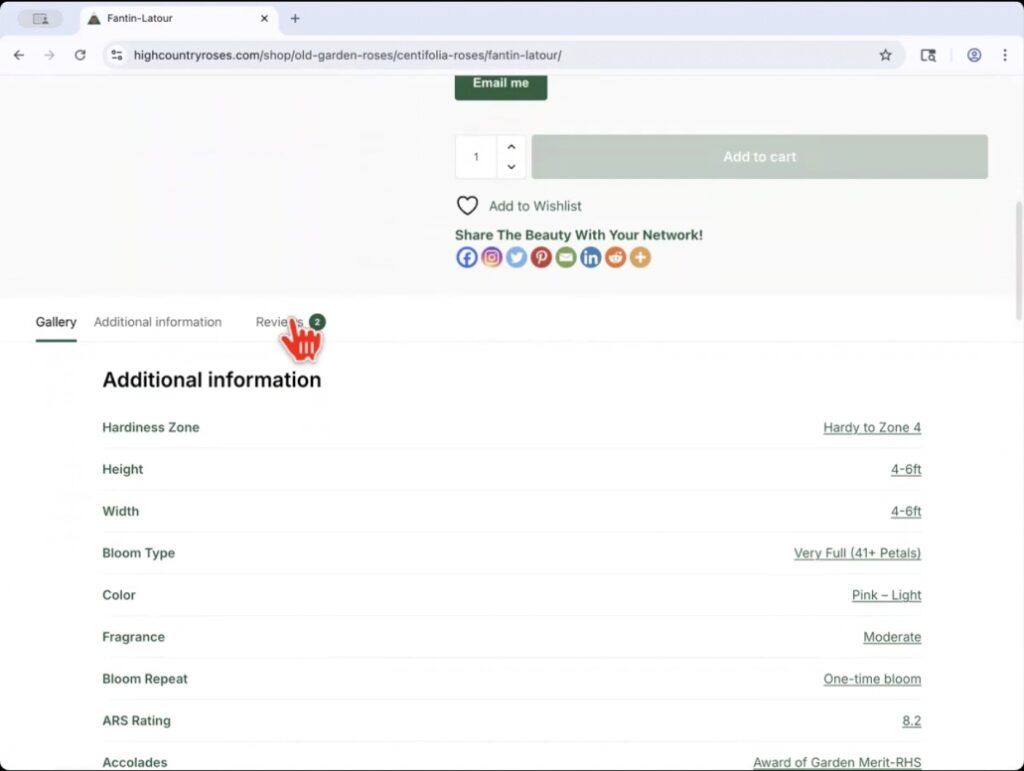
Scroll down on the variety’s product page to see more information about the rose and your will find the review tab.
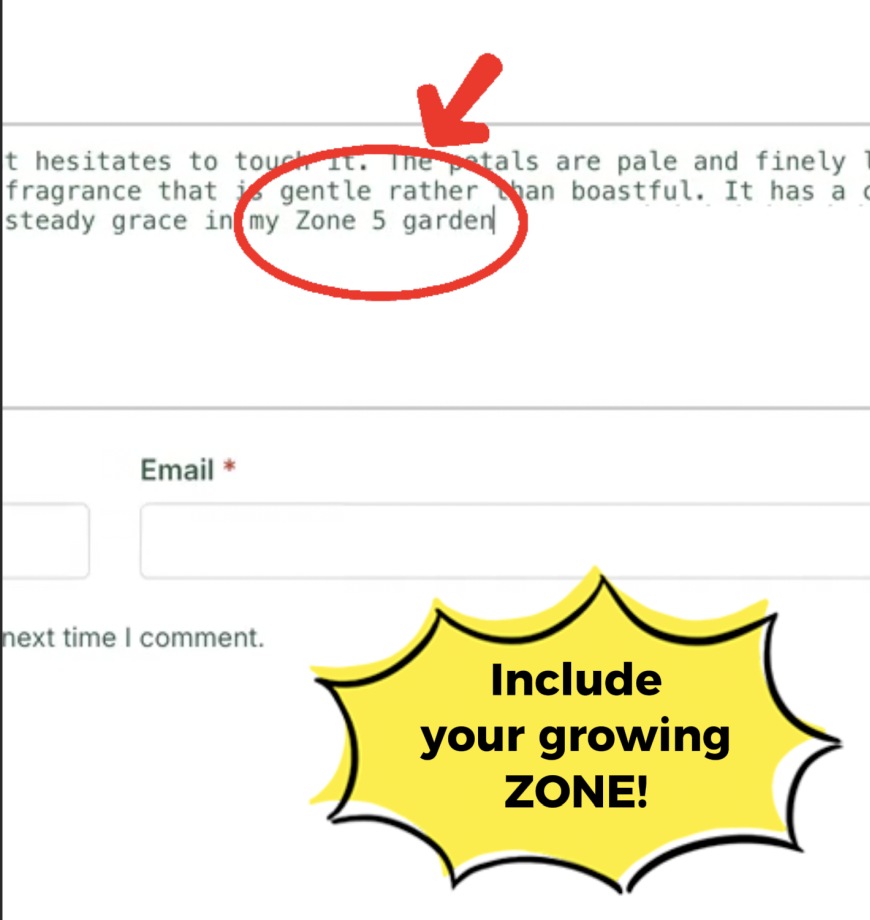
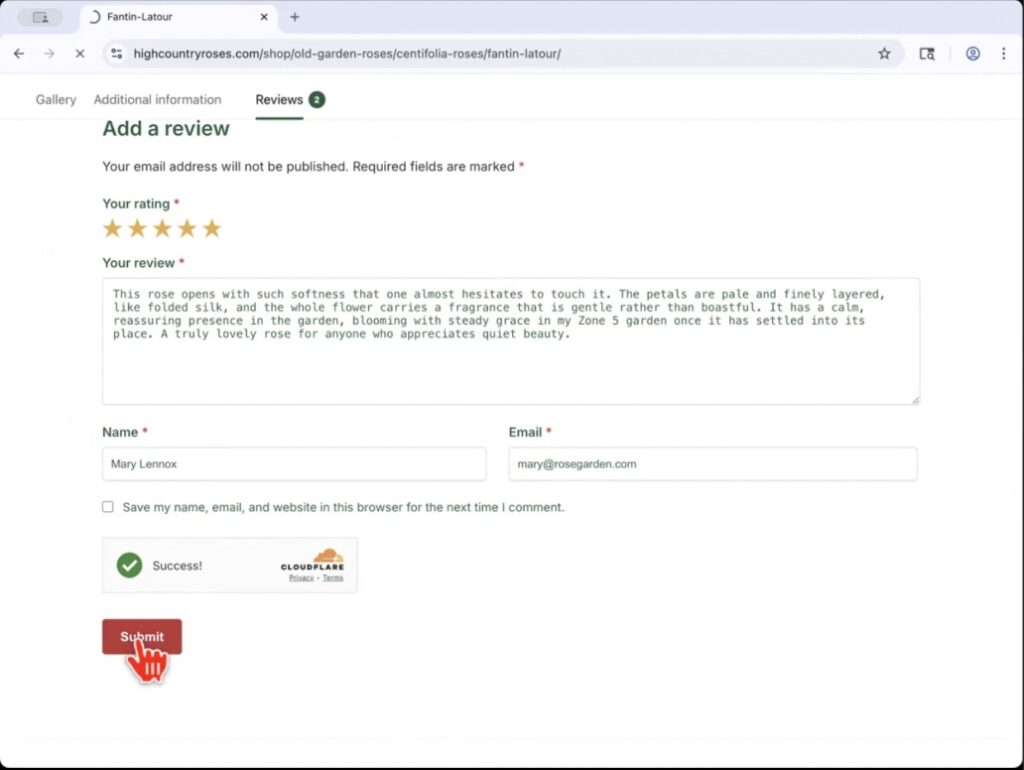
Once you click on the review tab, the screen will open that allows you to enter your review. You will need to give the rose a star rating from 1 to 5 stars depending on your experience and give a few words explaining your review. I really appreciate it when you include the zone you are growing in. I find it helps people understand the rose’s performance a little better.
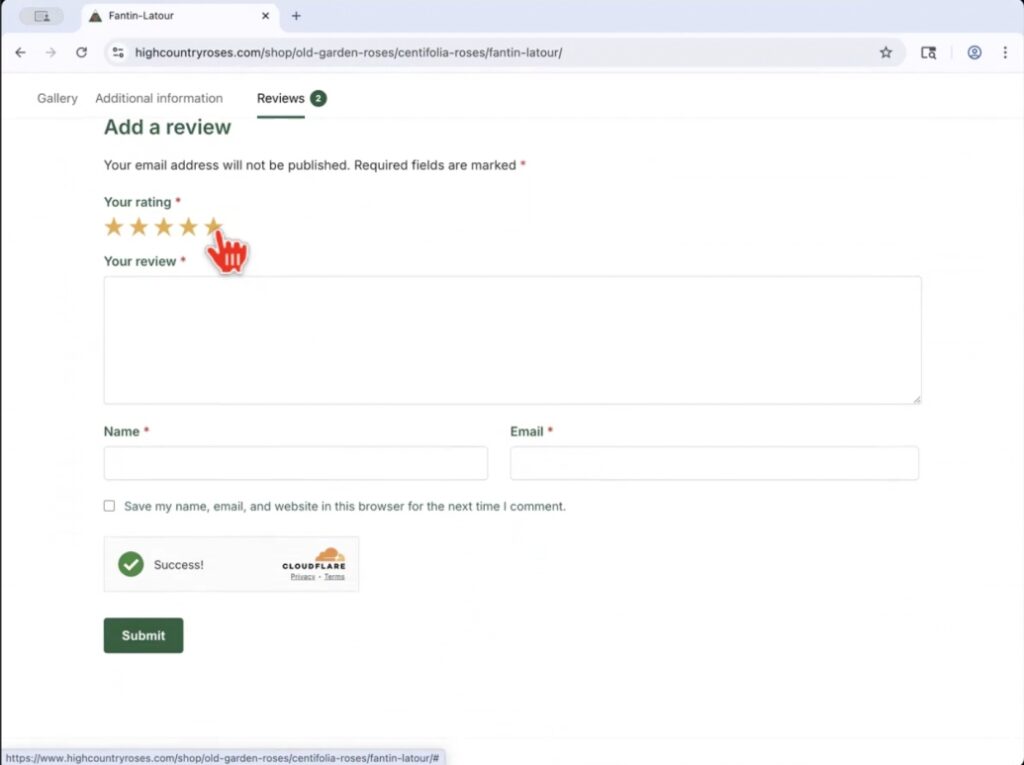
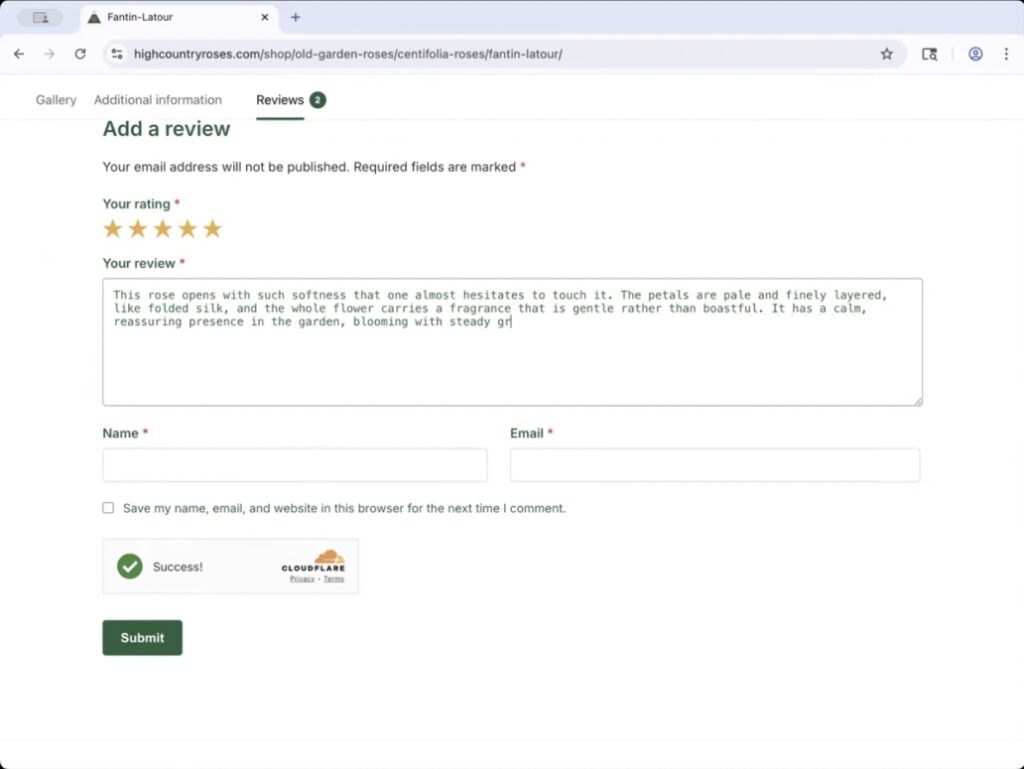
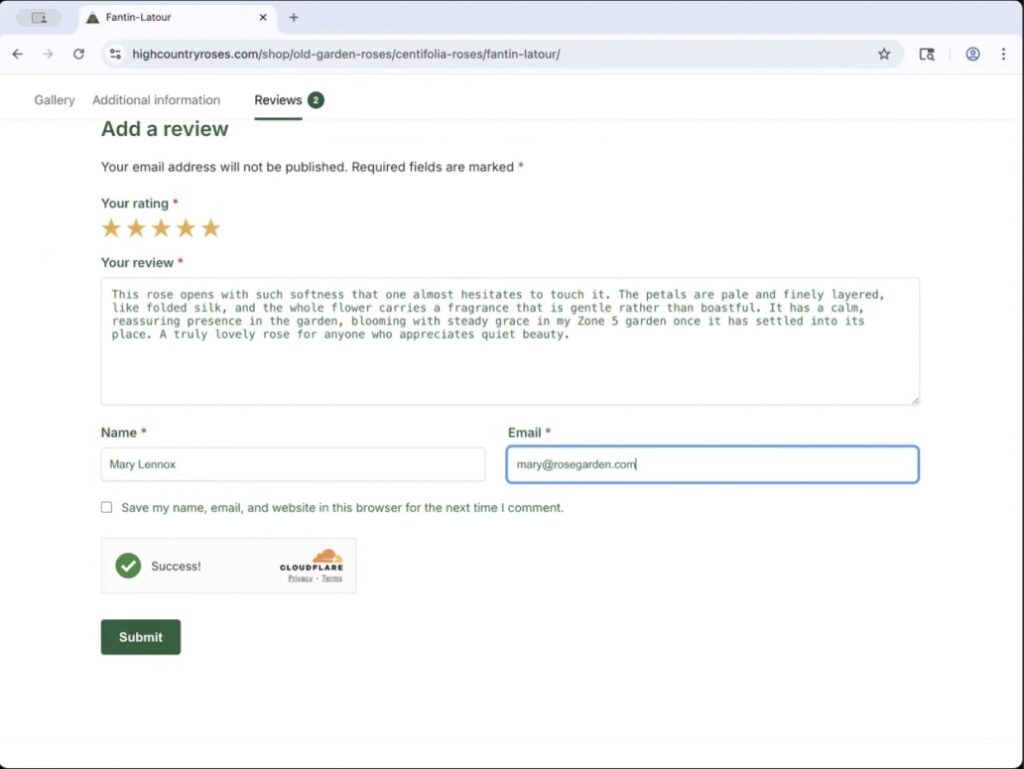
Next, you will encounter the captcha that is used to prevent computer programs from exploiting the website. I am sorry to to call your humanity into question but the captcha is a legitimate defense for the website and keeps any information safe. Finally, hit the submit button and your review will be submitted.
Once your review is submitted, we review it prior to posting it on the site. Why do we do that? Well, because we open the review process up to anyone, about 1 in 10 reviews we receive is from someone trying to sell things or just generally inappropriate spam. If your review is legitimate, you can count on us posting it good or bad.
As always, if you have any questions or difficulties please feel free to CONTACT us.